
 MyHeritage and FamilyTreeDNA Collaboration: Transfer Your Family Tree Exciting News: MyHeritage and FamilyTreeDNA Announce New Collaboration!I am excited to share some fantastic news for all you genealogy enthusiasts and DNA researchers! MyHeritage and FamilyTreeDNA, two biggies in the genealogy world, have launched a new collaboration that will bring even more value to your family history research. What’s New? Seamless Family Tree Transfer: FamilyTreeDNA users can now transfer their family trees to MyHeritage for free! This integration allows you to continue building and expanding your family tree on MyHeritage, taking advantage of its super powerful genealogy tools and features. Access to MyHeritage’s Robust Tools: By transferring your family tree to MyHeritage, you gain access to a wide range of advanced genealogy tools and technologies that are not available on FamilyTreeDNA. This includes tools for record matching, automatic matches to other family trees, photo enhancements, and much more. Voluntary Transfer: While transferring your tree data to MyHeritage is voluntary, it is HIGHLY encouraged. FamilyTreeDNA will officially phase out their family tree builder on September 9, 2024. After this date, family trees on FamilyTreeDNA will become read-only, although you can still transfer them to MyHeritage. Focus on DNA Testing: This collaboration allows FamilyTreeDNA to focus on what they do best – DNA testing services and reporting – while providing their users with access to MyHeritage’s top-notch family tree tools. How to Transfer Your Family Tree
Why Transfer Now? Transferring your family tree data as soon as possible ensures you won’t lose any functionality when FamilyTreeDNA phases out their tree builder. Plus, early transfer gives you immediate access to all the fantastic tools MyHeritage offers. For more details about this exciting integration, check out the official blog post on MyHeritage. Let’s spread the word and make the most of this new collaboration to enhance our genealogy research! Happy researching! More MyHeritage Update, Tools, and FeaturesLearn about more of the latest MyHeritage updates, tools, and features under the MyHeritage category. More Genealogy ResourcesLearn about more family history and genealogy resources under the Genealogy Resources category and on my dedicated Genealogy Resources page.
2 Comments
 Ancestry's New Community Groups Feature Exciting news for genealogists and family historians! Ancestry.com has introduced a new BETA feature, Community Groups, set to transform how we connect, share, and collaborate in our genealogical journeys. While still in its testing phase and available to select users, this feature promises to be a valuable addition to Ancestry's toolkit. What Are Community Groups? Currently, the Community Groups feature showcases three public groups:
First Impressions and Potential Though still in BETA and not fully accessible, the feature appears to be aimed at fostering community engagement and collaboration. Users can join groups, but full functionality—including viewing and participating in discussions—is not yet available. The placeholder message reads: "Coming soon: Community groups. We’re building a space for you to connect with others, celebrate your milestones, ask for help, and uncover more about your family history. Check back soon for updates." Why This Matters As a professional genealogist, the prospect of these community groups is incredibly promising. Here’s why:
Final Thoughts While we await the full rollout, the anticipation surrounding Ancestry’s Community Groups is Real. This feature has the potential to enhance our research by providing a supportive community where we can share knowledge, seek assistance, and celebrate our genealogical achievements together. Stay tuned for further updates as Ancestry.com continues to develop and refine this exciting new feature. Whether you’re a seasoned genealogist or just starting your journey, Community Groups could soon become an invaluable part of your research toolkit. More Ancestry and Genealogy ResourcesLearn about more Ancestry updates, tips, tools, and features and other family history and genealogy resources under the Ancestry.com and the Genealogy Resources categories of my blog and on my dedicated Genealogy Resources page.
 Top 5 Free Genealogy Resources Top 5 Free Genealogy Resources Exploring genealogy can be both exciting and overwhelming, especially when it comes to managing costs. Thankfully, there are numerous free resources available that provide tons of information and tools for genealogical research. Here are my top 5 free genealogy resources that every genealogist should explore, if you don’t want to break the bank. 1. FamilySearch  #1 Top Free Genealogy Resource: FamilySearch FamilySearch is one of the most extensive free genealogy websites, operated by the Church of Jesus Christ of Latter-day Saints.
2. National Archives (NARA) #2 Top Free Genealogy Resource: National Archives The National Archives and Records Administration (NARA) is a treasure trove of historical records, many of which are available online for free.
3. Find a Grave  #3 Top Free Genealogy Resource: Find a Grave Find a Grave is a community-driven website that provides access to cemetery records and photographs of gravestones.
4. USGenWeb Project  #4 Top Free Genealogy Resource: USGenWeb Project The USGenWeb Project is a volunteer-driven website that offers free genealogical resources for every state and county in the United States.
5. Ancestry.com - Free Collections  #5 Top Free Genealogy Resource: Ancestry.com While Ancestry.com is primarily a subscription site, it offers several free collections that can be invaluable for genealogical research.
These free resources provide a strong foundation for genealogical research, offering access to records, tools, and community support without the need for expensive subscriptions. Whether you're just starting out or looking to expand your research, these websites can help you uncover valuable information about your family's history. More Genealogy ResourcesLearn about more family history and genealogy resources under the Genealogy Resources category and on my dedicated Genealogy Resources page. More Top Genealogy Top 5 DNA Genealogy Testing Sites Top 5 DNA Genealogy Testing SitesAre you ready to take the plunge and take a DNA test whether it be to enhance your genealogy, find biological family, break down a genealogy brick wall, or just to know who you are and where you came from? In the rapidly advancing field of genetic genealogy, choosing the right DNA testing service is crucial for uncovering your ancestral roots and connecting with relatives. Let's explore the top five DNA genealogy testing sites: AncestryDNA, FamilyTreeDNA, 23andMe, MyHeritage, and Living DNA. Each of these services offers unique features and strengths that cater to different aspects of genealogical research. Let's take a quick look into what each has to offer. 1. Ancestry.com/AncestryDNA AncestryDNA DNA Genealogy Testing Site AncestryDNA is one of the most popular DNA testing services, especially among those looking to build and expand their family trees.
2. FamilyTreeDNA FamilyTreeDNA DNA Genealogy Testing Site FamilyTreeDNA is a pioneer in the field of genetic genealogy and offers a comprehensive range of DNA tests.
3. 23andMe 23andMe DNA Genealogy Testing Site 23andMe is well-regarded for its user-friendly interface and a combination of ancestry and health insights.
4. MyHeritage/MyHeritage DNA MyHeritage DNA Genealogy Testing Site MyHeritage is a robust platform for genealogical research, offering a strong combination of DNA testing and family tree building.
5. Living DNA Living DNA DNA Genealogy Testing Site Living DNA offers a unique and detailed approach to genetic ancestry testing with a focus on regional breakdowns.
Choosing the right DNA testing service depends on your specific genealogical goals. Whether you are looking for a detailed ethnicity breakdown, connections with relatives, deep paternal or maternal lineage insights, or health-related genetic information, one of these top five DNA genealogy testing sites will meet your needs. Each offers unique features and strengths, ensuring that you can uncover the rich tapestry of your ancestry and build a more complete picture of your family history. More Genetic Genealogy/DNA Resources Find more DNA genealogy resources, tips, and other info under the Genetic Genealogy and DNA category. More Genealogy Resources Learn about more family history and genealogy resources under the Genealogy Resources category and on my dedicated Genealogy Resources page. More Top Genealogy
 Ancestry's New Shared Matches DNA Pro Tool Enhances Genetic Genealogy Research Ancestry Updates June 2024: Introducing the New Shared Matches DNA Pro ToolAncestry has recently unveiled a highly anticipated addition to their Pro Tools suite: the Shared Matches DNA Pro Tool. This new feature enables users to explore the connections between their shared matches, offering a more detailed view of how individuals are interrelated within their genetic network. Designed to enhance genealogical research, Pro Tools is a premium set of tools available for an additional fee, as first introduced in Ancestry Updates December 2023: Ancestry's New Pro Tools. Getting Started with Ancestry’s New DNA Pro ToolTo access the Shared Matches Pro Tool, after the purchase of Pro Tools in addition to an already Ancestry membership, follow these simple steps:
 Getting to Ancestry's Shared Match DNA Pro Tool- Step 2  Getting to Ancestry's Shared Match DNA Pro Tool- Step 3  Getting to Ancestry's Shared Match DNA Pro Tool- Step 4 Current Limitations and Considerations While this new tool brings exciting possibilities, it is important to note that it is still in its early stages. As with any new technology, there are some limitations and areas for improvement. Here are some of the issues users may encounter:
Important Notes
Insights and Reflections The new Shared Matches DNA Pro Tool holds significant potential for genealogists, especially those new to DNA research. It simplifies the process of understanding how shared matches may be related, which is invaluable for the majority of Ancestry subscribers. However, for seasoned professionals, the tool might serve more as a supplementary aid rather than a primary resource. In my professional experience, while the tool did not help confirm the one case I specifically purchased it for—due to the complexities of endogamy and pedigree collapse—it did prove valuable in validating previous research. Within just a few hours, I was able to confirm findings from my own family tree and work done for clients, from the past decade. Although it offers a novel way to explore relationships, it may feel more like an experimental feature than a game-changing tool at this stage. Overall, the new Shared Matches DNA Pro Tool represents an exciting step forward for AncestryDNA and their Pro Tools, and with continued development, it has the potential to become an indispensable resource for genealogists of all levels. More Ancestry and Genealogy ResourcesLearn about more Ancestry updates, tips, tools, and features and other family history and genealogy resources under the Ancestry.com and the Genealogy Resources categories of my blog and on my dedicated Genealogy Resources page.
 5 Ways to Celebrate Juneteenth 5 Ways to Celebrate Juneteenth Juneteenth, celebrated on June 19th, marks the day in 1865 when enslaved African Americans in Texas learned of their freedom, two years after the Emancipation Proclamation. As a genealogist, understanding and honoring this significant event can deepen your appreciation for African American heritage and history. Here are five meaningful ways to celebrate Juneteenth. 1. Educate Yourself and Others Understanding the history and significance of Juneteenth is the first step in honoring this day. Read books, watch documentaries, and explore online resources that detail the stories of enslaved people, the Civil War, and the fight for freedom. Share this knowledge with friends, family, and your community to spread awareness. Consider hosting a virtual or in-person reading group to discuss influential works like "Juneteenth" (one of the most powerful classics since WWII) by Ralph Ellison or "The Warmth of Other Suns" (one of New York Time's best sellers and named TIME's 10 Best Nonfiction Books of the Decade, as well as The New York Times Magazine's Best Nonfiction of All Time) by Isabel Wilkerson. 2. Trace African American Genealogy For genealogists, like us, Juneteenth is an opportunity to delve into African American ancestry. Utilize resources like the Freedmen’s Bureau records, African American newspapers, and oral histories to uncover the stories of African American ancestors. This not only honors their legacy but also brings their histories to light for future generations. Encourage others to start their genealogical journey by offering workshops or online tutorials. 3. Support Black-Owned Businesses Economic empowerment is a significant aspect of celebrating Juneteenth. By supporting Black-owned businesses, you contribute to the economic strength and sustainability of African American communities. Research and share lists of local and online Black-owned businesses, and make a concerted effort to patronize them, whether it’s for everyday needs or special purchases. We have a fantastic black-owned shop, "The Gourmet Cobbler Factory" that makes amazing sweet potato pies, among others, in our community. I'm definitely stopping by tomorrow! 4. Participate in Local Juneteenth Events Many communities host events to commemorate Juneteenth, including parades, festivals, and educational programs. Attend these events to connect with others and participate in collective celebrations. Check out some of the top 10 Juneteenth events here. If your community doesn’t have Juneteenth events, consider organizing one. This could be a virtual gathering, a neighborhood barbecue, or an educational workshop that highlights the history and significance of Juneteenth. 5. Reflect and Engage in Acts of Service Juneteenth is not just a celebration of freedom but also a reminder of the ongoing struggles for equality and justice. Take this time to reflect on the progress that has been made and the work that still needs to be done. Engage in acts of service that support racial justice and equality. Volunteer with organizations that focus on civil rights, social justice, and community development. Consider making donations to causes that promote equality and support African American communities. By taking part in these activities, you not only celebrate Juneteenth but also honor the resilience, strength, and contributions of African Americans throughout history. As genealogists, we have a unique role in preserving and sharing these vital stories, making sure they are remembered and respected for generations to come. Happy Celebrating! More African Amercian GenealogyMore Genealogy ResourcesLearn about more family history and genealogy resources under the Genealogy Resources category and on my dedicated Genealogy Resources page. More Top Genealogy#AfricanAmericanGenealogy,#AfricanAmericanAncestry,#Genealogy,#BlackHistory,#Juneteenth
 Top 5 German Genealogy Websites Top 5 German Genealogy Websites Do you have German ancestors and looking for records, tools, and resources that can help in your German genealogy research? Here are my top 5 German genealogy websites to help you climb your family tree! Besides the big four genealogy websites (Ancestry, FamilySearch, MyHeritage, and Findmypast), these are German research musts! 1. FamilySearch Germany Genealogy Wiki (FREE)  FamilySearch Germany Genealogy Wiki for German Genealogy Research
2. Meyers Gazetteer (FREE)  Meyers Gazetteer for German Genealogy Research
3. Archion ($)  Archion for German Genealogy Research
4. Matricula (FREE)  Matricula for German Genealogy Research
5. CompGen (FREE)  CompGen for German Genealogy Research
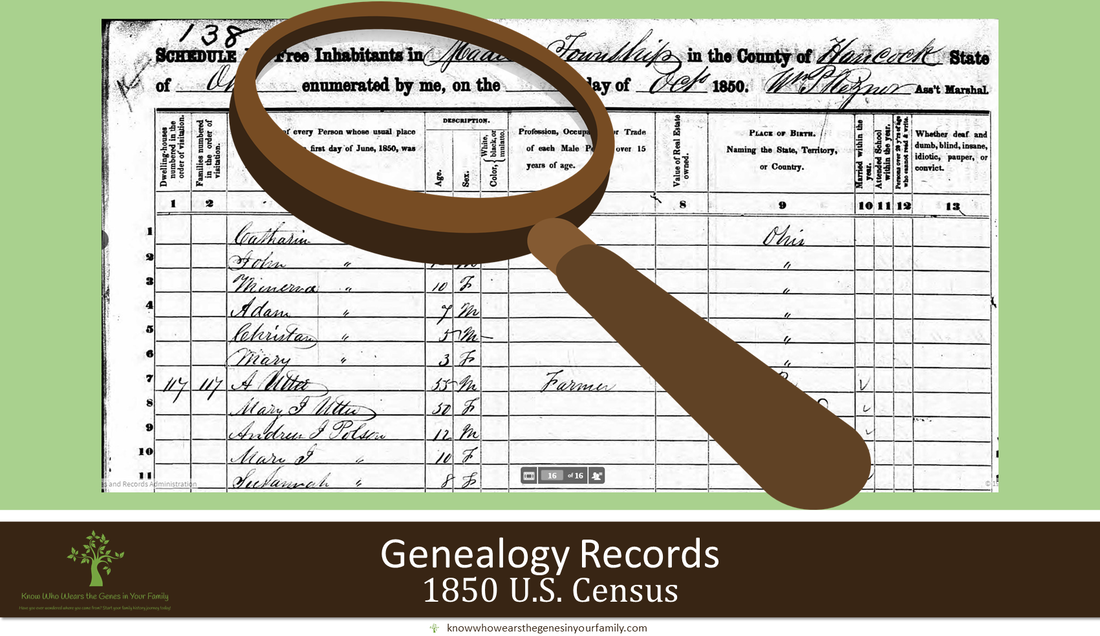
More German Genealogy ResourcesFind more German genealogy resources, tips, and other info under the German Genealogy category. More Genealogy ResourcesLearn about more family history and genealogy resources under the Genealogy Resources category and on my dedicated Genealogy Resources page. More Top Genealogy Genealogy Education: Top 10 Legacy Family Tree Webinars for May 2024 I am honored to have made the Top 10 Legacy Family Tree Webinars for May 2024, with my presentation “A Closer Look at the 1850-1950 U.S. Census Records, with a Little Extra Help”! Legacy Family Tree Webinars is the world’s most popular webinar website for genealogy and DNA testing, in which you can purchase a subscription to access thousands of genealogical education webinars and syllabi, for a nominal fee, from top speakers in the field. They also have plenty that you can access for free as well, such as the one mentioned above. Top 10 Legacy Family Tree Webinars for May 2024 See other top 10 Legacy Family Tree Webinars, along with the runners-up, the 2nd runners-up, and the #1 rated webinar in May 2024 here. FREE Genealogy Webinar  A Closer Look at the 1850-1950 U.S. Census Records, with a Little Extra Help Watch “A Closer Look at the 1850-1950 U.S. Census Records, with a Little Extra Help” for FREE! This presentation takes a closer look at the 1850 to 1950 U.S. Census records as vital genealogy resources, while looking into details you may have missed, along with benefits to and tips in using these records and a little extra help from MyHeritage! Join Legacy Family Tree Webinars here.
 Transcribe and analyze your ancestors' obituaries easily and flawlessly, even creating biographies from them, to enhance your family history! I am still in the process of testing out and using various AI platforms for different tasks, as some work out for certain tasks better than others, in my genealogical world. I recently tested out obituary transcriptions in the new FREE version of ChatGPT-4o to see the difference between the ones I had done in Microsoft Copilot and Google Gemini a few months ago, in which you can check out those results in “AI in Genealogy: Copilot and Gemini OCR for Obituary Transcriptions and Analysis!”. Copilot was not that great with the task, and Gemini totally failed the task. Until ChatGPT-4o came out just a couple of weeks ago, you could not upload images with the free version at that time, ChatGPT 3.5. Keep in mind that as of this post, there is a significant limit in uploads in the free version of ChatGPT-4o, depending on peak times, etc., and will vary. When I tested this feature within the first few days it became available, I was only able to upload 3 photos for descriptions, then my limit was reached. I was in “limit jail” for 3 days until I could use the upload feature again. Check out the results below for transcribing obituaries with the free version of ChatGPT-4o, giving you yet another way to use AI in genealogy! Results of ChatGPT-4o Ancestor Obituary Transcriptions and AnalysisIn the following examples below, I had used one of the obituaries (he had a few) for my 2nd great grandfather, Samuel Steinman. I prompted it for a description, transcription, and analysis, without including the type of document to see if it could describe what kind of document it was. *Note: Click on images to zoom in ChatGPT-4o AI-Powered Obituary Transcriptions and analysis in Genealogy- ExampleThe only prompt I had used for this was “Describe, transcribe, and analyze this genealogical document for my 2nd great grandfather, Samuel Steinman completely”, in which it churned out fantastic results! There was only one very minor error in the transcription- it left out the word two, and 1 small error in the analysis- stating his daughter and brothers were by his side in his final hours, but it was his daughter, sons, and one brother. Other than that, I’d say this transcription was close to perfect, even down to all the grammar errors in the obituary!
ChatGPT-4o AI-Powered Ancestor Death Date Calculator in Genealogy- ExampleSince it did not provide a date of death in the analysis, which I’m surprised it didn’t automatically calculate it, because there was no date of death in the obituary, I decided to ask it to calculate that with the prompt “Determine the date of death from the information that was provided in the document that include his birth date and how old he was when he died”. It was able to calculate it, and give it’s reasoning, and it was spot on!
ChatGPT-4o AI-Generated Ancestor Biography from Obituaries in Genealogy- ExampleI then decided to test if it could write a decent ancestor biography just from an obituary, with the prompt “Can you generate a biography from the information in this document”, in which again it churned out fantastic results!
Compare the Results to the Free Versions of Microsoft Copilot and Google Gemini Try FREE ChatGPT More AI and Genealogy ResourcesLearn about more family history and genealogy resources under the AI in Genealogy and Genealogy Resources category and on my dedicated Genealogy Resources page.
 AI in Genealogy: ChatGPT-4o for Historical Photo Descriptions! Describe and analyze your historical photos, easily, to enhance your family history! I am still in the process of testing out and using various AI platforms for different tasks, as some work out for certain tasks better than others, in my genealogical world. I recently tested out photo descriptions in the new FREE version of ChatGPT-4o to see the difference between the ones I had done in Microsoft Copilot a few months ago, in which you can check out those results in “AI in Genealogy: Microsoft Copilot for Historical Photos!”. Until ChatGPT-4o came out just a couple of weeks ago, you could not upload images with the free version at that time, ChatGPT 3.5. Keep in mind that as of this post, there is a significant limit in uploads in the free version of ChatGPT-4o, depending on peak times, etc., and will vary. When I tested this feature within the first few days it became available, I was only able to upload 3 photos for descriptions, then my limit was reached. I was in “limit jail” for 3 days until I could use the upload feature again. Check out the fantastic results below for describing photos with the free version of ChatGPT-4o, giving you yet another way to use AI in genealogy! Results of ChatGPT-4o Historical Photo Descriptions In the following examples below, I had used photos concerning my 2nd great grandfather to test this free feature. *Note: Click on images to zoom in ChatGPT-4o AI Historical Photo Descriptions in Genealogy- Example 1The only prompt I had used for this was “Describe this photo in detail”, in which it churned out fantastic results!
ChatGPT-4o AI Historical Photo Descriptions in Genealogy- Example 2Once again, the only prompt I had used for this was “Describe this photo in detail”, in which it again churned out fantastic results!
ChatGPT-4o AI Historical Photo Descriptions in Genealogy- Example 3 Yet again, the only prompt I had used for this was “Describe this photo in detail”, in which again it churned out fantastic results, with nothing other than a simple prompt!
ChatGPT-4o AI Historical Photo Descriptions in Genealogy- Example 4 For this example, I decided to create a second prompt to help ChatGPT out with the family member description and time period it had churned out for the last example. I provided names, along with the time it was taken and where, thus making it more personal and adding context to enhance my ancestor’s family photo and family history. The prompt I used for this was: This photo was taken in Albany, Missouri 1894 and includes my 2nd great grandparents: Samuel and Mary Harriet Steinman and their children from eldest to youngest: Ralph Waldo, Lillie Ethel, Edmond Cole (my great grandfather), and Arthur Olander.
Compare the Results to the Free Version of Microsoft Copilot Try ChatGPT for Free More AI and Genealogy ResourcesLearn about more family history and genealogy resources under the AI in Genealogy and Genealogy Resources category and on my dedicated Genealogy Resources page.
|
Categories
All
Featured
Top Posts
BlogrollEvalogue.Life, Heart of the Family, Molly's Canopy, Climbing My Family Tree, Cami Mayer, Field Genealogist, Ancestor Detective, DNA Breakthroughs, Your DNA Guide, Ancestral Findings, Genealogy Tip of the Day, Family History Daily, Genea-Musings
BlogI hope my family history and genealogy blog on genealogy research tips, resources, events, and more, along with my own genealogy journeys, will help you in your research and in building your family tree to learn more about your ancestors and family history to preserve for future generations to come! 
Come visit me at Know Who Wears the Genes in Your Family if you're interested in starting your family history journey, booking me for your next speaking event, or family history and genealogy heirloom products!
          Archives
July 2024

|


 RSS Feed






HoursM-Su: 8am - 8pm


|
Know Who Wears the Genes in Your Family is dedicated to promoting family history and genealogy, while maintaining commitment to client care and professional service, and adheres to the Code of Ethics and Professional Practices put forth by the Association of Professional Genealogists.
|