
 MyHeritage New Tribute Reel Photo Feature: Bringing Family Photos Together in a Video Reel MyHeritage Tribute Reel: Bringing Family Photos Together in a New Way MyHeritage continues to expand its collection of AI-powered photo tools, and in May 2026 they introduced a new feature called Tribute Reel. As someone who enjoys preserving family history and exploring new ways to share it, I decided to give it a try using photos of my mother and grandmother. The results were both fascinating and surprisingly emotional. What Is Tribute Reel? Tribute Reel lets you to combine up to 15 photographs into a single animated video. The tool animates each photo, much like MyHeritage's LiveMemory feature, then seamlessly weaves the images together into a continuous presentation. Users can:
My First Experiments I started by creating several Tribute Reels using photos of my mom. As with many AI photo tools, I quickly discovered that some images work better than others. Certain photos produced natural-looking movements, while others generated results that felt less realistic. After a few attempts, I selected the images that animated most successfully and created a version I was happy with. Next, I experimented with photos of my grandmother. Again, I tested multiple versions, swapping photographs in and out and trying different music selections to see which combinations worked best. The ability to easily recreate the reel encouraged experimentation, and I found myself refining the project several times before settling on a final version. A Genealogist's Perspective Because I personally knew both my mother and grandmother, of course, I viewed the videos with a different perspective than someone seeing them for the first time. Some of the facial expressions and movements felt familiar and believable. Others did not reflect how they actually moved or expressed themselves. This is important to remember when using any AI animation tool: the animations are generated interpretations, not authentic recordings of a person's behavior. As genealogists and family historians, we should always be careful not to confuse AI-generated content with historical reality, and mark them as so. That said, the overall effect can still be powerful. The Emotional ImpactWhat surprised me the most was the reaction from others. Several people who watched the Tribute Reel commented on how moving it was. One person said: "I don't even know you and that brought tears to my eyes. Well done!" That response reminded me that family history is ultimately about people and connections. While we spend countless hours researching records, building family trees, and analyzing DNA matches, tools like Tribute Reel offer another way to share those stories in a format that resonates emotionally with family members. For relatives who may never read a lengthy research report or family history book, a short video can sometimes create an immediate connection to the past.  MyHeritage Tribute Reel: A Tribute to My Grandmother Final ThoughtsOf Course, Tribute Reel is not a replacement for traditional genealogy research, nor should its animations be viewed as historically accurate representations of our ancestors. However, as a storytelling tool, it offers an engaging way to showcase family photographs and create meaningful presentations for relatives. Like many AI tools, the quality of the final product depends on the photographs you choose, so don't be afraid to experiment with different images and settings. After creating reels for both my mom and grandmother, I found the feature really easy to use, fun to experiment with, and capable of producing some surprisingly touching results. For family historians looking for new ways to share treasured photographs and preserve memories, Tribute Reel may be worth exploring. Have you tried MyHeritage Tribute Reel yet? I'd love to hear about your experience and see how you've used it to bring your family history to life. More MyHeritage and Genealogy ResourcesLearn about more MyHeritage updates, tips, tools, and features and other family history and genealogy resources under the MyHeritage and the Genealogy Resources categories of my blog and on my dedicated Genealogy Resources page.
 Using AI beyond genealogy research: Creating speaking invites and promotional graphics in seconds with ChatGPT When most genealogists think about artificial intelligence (AI), they think about genealogy research. AI is often associated with transcribing documents, translating records, analyzing DNA matches, summarizing information, or helping solve brick wall problems. Although AI can certainly assist with those tasks, I use it for much more than genealogy research. Today, I spent some time creating promotional images for several of my upcoming genealogy presentations. It reminded me just how much AI has changed the way I create content for business and speaking engagements. What once required multiple programs and a considerable amount of design time can now usually be accomplished in seconds. My Journey Creating Speaking Invites with AII've been creating genealogy speaking invitations with AI ever since image generation tools first became available. Like many early adopters, I experienced the growing pains of the technology firsthand. The earliest AI-generated images often required significant editing and sometimes produced some pretty strange results. Text was frequently misspelled, designs could be inconsistent, and it usually took multiple attempts to create something usable. Over the past few years, however, the technology has improved dramatically. Each new update has brought better image quality, improved layouts, more realistic designs, and much greater control over the final result. Today, I can usually create a professional-looking speaking invitation in just a few seconds using ChatGPT's image generation capabilities. Examples
Less than 3 minutes for the batch. AI vs. Traditional Design ToolsFor many years, I relied heavily on Canva and Adobe Express to create promotional graphics, presentation invitations, website images, and social media content. I sometimes still use both tools and find them valuable for specific projects. Canva remains useful for certain templates and recurring image series, while Adobe Express offers additional design capabilities when I need more customization. However, when I need a quick graphic for an upcoming presentation or announcement, AI has become my first choice. Instead of starting with a blank canvas and manually building a design, I can simply describe what I need and have multiple options generated within seconds. This allows me to focus more on my presentations and less on the design process. AI in Genealogy Isn't Just for ResearchOne of the biggest misconceptions about AI in genealogy is that it is only useful for research. In reality, AI can assist genealogists in many aspects of their work, whether they are professional genealogists, society volunteers, speakers, bloggers, authors, or family historians. AI has become a valuable tool not only for discovering family history but also for sharing it with others. Other Ways Genealogists Can Use AIBeyond research, genealogists can use AI to help with:
The Biggest Benefit: Saving TimeFor me, the greatest advantage of using AI for image creation is the time savings. As genealogists, we already spend countless hours researching records, analyzing evidence, developing presentations, writing reports, creating educational content, and helping others discover their family stories. The less time I spend creating graphics from scratch, the more time I can devote to serving clients, preparing presentations, writing blog posts, and conducting research. While AI won't replace creativity or expertise, it can significantly reduce the time required to complete many routine tasks. Final ThoughtsAI has become one of the most versatile tools in my genealogy toolbox. While it can certainly assist with family history research, its usefulness extends far beyond records, DNA, and brick wall problems. Whether I'm creating speaking invitations, website graphics, blog images, or educational materials, AI helps me work more efficiently and focus on the aspects of genealogy I enjoy most. The next time you think about AI in genealogy, consider looking beyond research applications. You may discover that it can help simplify many other parts of your genealogy journey as well. How are you using AI in your genealogy work? Are you using it strictly for research, or have you found creative ways to incorporate it into your genealogy projects, presentations, society work, or business? More AI in GenealogyLearn about more AI in genealogy updates, tips, and resources (including photo tools), along with other family history and genealogy resources under the AI in Genealogy and Genealogy Resources categories and on my dedictaed Genealogy Resources page.
 Testing ChatGPT Images 2.0’s “Research Visual” option for genealogy education Testing ChatGPT Images 2.0 “Research Visual” for Genealogy InfographicsOkay, so what do you do when you’re sick and playing hooky from client work? Apparently… you test AI image tools on genealogy topics. 😄 A few weeks ago, I noticed a new option inside ChatGPT Images 2.0 called “Research Visual” (complex topic infographic). Naturally, I had to try it. For my tests, I used genealogy topics and materials I already knew very well, especially my brick wall research content, so I could easily spot what worked, what didn’t, and how accurate the results actually were. I tested many examples over the last few weeks, but for this blog, I’m only showing the two brick wall examples because they showed the progression and improvements especially well, and of course I can't show them all. Test #1: Brick Wall Problem-Solving as a SystemFor the first test, I used my brick wall troubleshooting blog article as the source material, as well as my other notes. My first reaction? Very, very cool. The infographic looked polished, educational, and visually appealing. It took the structure of my article and turned it into something that felt much bigger and more layered than a normal infographic. The main sections stayed very close to my original article and were largely on point. But then ChatGPT started doing something interesting… It began adding its own extra educational sections and mini add-ons to make the infographic feel more complete and visually useful. Some of those additions were actually excellent:
Honestly? Some of the add-ons improved the infographic quite a bit. But… not everything was correct. A few sections were close, but not quite there:
The infographic kept generating resources and reading lists that looked legitimate, but several were incorrect, blended together, incomplete, or simply made up. That became a repeating pattern in the early “Research Visual” tests I tried.  ChatGPT Images 2.0 “Research Visual” for Genealogy Infographics- Example 1, Early Test Test #2: Brick Wall Problem-Solving with Practical StrategiesFast forward just a couple of weeks later, and the results were noticeably different. This time:
ChatGPT simply left it out this time. And honestly? That seemed to fix the biggest problem from the earlier tests. The earlier “Research Visual” infographics kept struggling with the resources and references sections. Once those disappeared, the overall accuracy improved dramatically. The second version also felt less like a “complex topic research visual”, that it should have been, and more like a traditional infographic. So while it may have been less visually ambitious than the first test, it was far more reliable overall. And for genealogy? Accuracy matters more than fancy visuals.  ChatGPT Images 2.0 “Research Visual” for Genealogy Infographics- Example 2, Improved My Biggest Takeaways A few things really stood out to me from these tests: 1. The improvement in just a couple weeks was huge The difference between May 4 and May 23 was honestly impressive. 2. AI is getting very good at visually organizing complex genealogy concepts Especially workflows, systems, checklists, and educational-style breakdowns. 3. It still absolutely requires expert review Some of the incorrect information looked very convincing at first glance. That’s important. 4. The potential here is enormous I could easily see tools like this being useful for:
Final Thoughts Even with the flaws in the early tests, I came away really impressed with this new option. Watching the improvement happen in real time over only a couple weeks was fascinating. And honestly? I think this is just the beginning of where tools like this are heading for genealogy education and visual learning. More AI and GenealogyLearn about more AI in Genealogy updates, tips, and resources (including photo tools), along with other family history and genealogy resources under the AI in Genealogy and Genealogy Resources categories and on my dedicated Genealogy Resources page.
5/10/2026 Recreating Memories with ChatGPT Images 2.0: A Mother’s Day Journey Back to the Santa Monica MallRead Now  Recreating 1970s Childhood Memories at the Santa Monica Mall with ChatGPT Images 2.0 Recreating Memories with ChatGPT Images 2.0: A Mother’s Day Journey Back to the Santa Monica MallThere are certain childhood memories that never really leave us. Not necessarily the big moments. Not birthdays or holidays. But the small, everday moments that somehow became permanent. For me, some of those memories are tied to the old outdoor Santa Monica Mall, long before it became today’s Santa Monica 3rd Street Promenade. I can still vividly remember walking there with my mom in the 1970s. Just the two of us.  Recreating My Childhood Memories in Scenes Using ChatGPT Images 2.0, Example 1 We would wander through the outdoor mall streets, stop at her favorite Mexican restaurant on the corner, eat chips from those classic red plastic oval baskets, and sip drinks from those swirly, textured clear plastic restaurant glasses with straws that seemed to exist in every Mexican restaurant back then.  Recreating My Childhood Memories in Scenes Using ChatGPT Images 2.0, Example 2 At the end of the day, we would stop by the bakery where I always got a peanut butter cookie, the kind with the crisscross fork marks pressed across the top.  Recreating My Childhood Memories in Scenes Using ChatGPT Images 2.0, Example 3 And somewhere in those memories was my pediatrician’s office, Dr. Levy’s Pediatrics, located right there at the mall.  Recreating My Childhood Memories in Scenes Using ChatGPT Images 2.0, Example 4 What fascinates me now is how specific these memories still feel. The sunlight. The walkways. The feeling of holding my mom’s hand. The colors. The textures. The atmosphere. Even stranger? I’m not entirely sure why so many of these memories are just me and my mom. Maybe my brother and sister were in school. Maybe these outings happened on doctor appointment days. Maybe it was simply our little routine together. But those memories stayed. And this Mother’s Day, I decided to try something different. Testing ChatGPT Images 2.0 for Memory RecreationA couple of weeks ago, I wrote a blog about the new ChatGPT Images 2.0 update and some of its new capabilities, including enhancement and restoration-style features. This time, however, I wanted to test something much more personal. I used one of OpenAI’s example prompts for the new image feature as inspiration, but modified it substantially to fit my own family memories and old photographs. Using actual childhood photos of me and photos of my mom as references, I prompted ChatGPT Images 2.0 to recreate scenes inspired by my memories of those outings to the Santa Monica Mall. Not exact historical recreations. Not fabricated “fake memories.” But visual interpretations inspired by real memories, real places, real feelings, and real family photographs. And honestly? The results surprised me emotionally more than technically. Seeing visual recreations of memories that had mostly existed only in my head for decades felt strangely powerful. Why This Hit Differently Than Photo RestorationAs genealogists, many of us have already experimented with AI photo restoration, enhancement, colorization, and repair tools. But this felt different. This wasn’t restoring a damaged image. This was recreating a moment. A feeling. A memory. A family story. That opens up a completely different category of possibilities for family history. New Possibilities for Family History & GenealogyAs I worked through these memory recreations, I immediately started thinking about how this could be used in genealogy and family history storytelling. Not as evidence. Not as historical fact. But as visual storytelling companions to our memories and research. Imagine being able to create memory-inspired scenes for:
But they were remembered. And storytelling has always been part of genealogy. This simply adds another visual layer to that storytelling. The Emotional Side of AI Memory RecreationOne thing I did not expect was how emotional this experiment would feel. When I saw the recreated bakery scenes with the peanut butter cookie… The Mexican restaurant scenes with the red chip basket… The pediatrician office scenes… …it genuinely felt like pieces of memory had been visually pulled back to the surface. Not perfectly. Not literally. But emotionally recognizable. That’s the important distinction. AI isn’t replacing memory here. It’s helping visualize it. There’s a difference. A New Creative Tool for GenealogistsI think this is where tools like ChatGPT Images 2.0 become especially interesting for genealogists and family historians. Not just for:
The stories behind the photographs. The memories between the photographs. The moments nobody thought to document at the time because they seemed ordinary. Until decades later when they suddenly became priceless. A Mother’s Day TributeIn the end, this little AI experiment became something more personal than I expected. A quiet tribute to my mom. A revisit to small childhood moments I hadn’t thought deeply about in years. And a reminder that sometimes the memories we carry most vividly are not the major milestones of life… …but the simple excursions. Walking through an outdoor mall. Holding your mom’s hand. Stopping for a cookie. Sitting in a restaurant booth eating chips before the meal arrives. Going to the doctor and then spending the rest of the afternoon together. Those moments mattered. And thanks to new tools like ChatGPT Images 2.0, we now have some really fascinating new ways to revisit, visualize, preserve, and share those memories with future generations. And honestly? That may be one of the most meaningful AI use cases for genealogy and family history yet. The Original Photos Behind the Memory Recreation
Happy Mother’s Day to all the moms, grandmothers, and mother figures whose everyday moments became lifelong memories. More AI and GenealogyLearn about more AI in Genealogy updates, tips, and resources (including photo tools), along with other family history and genealogy resources under the AI in Genealogy and Genealogy Resources categories and on my dedicated Genealogy Resources page.
 ChatGPT Images 2.0 enhances old family photos with AI ChatGPT Images 2.0: A New Era for Visual Genealogy (and My First Tests with Photo Enhancement)On April 21, 2026, OpenAI released a major update to its image generation capabilities: ChatGPT Images 2.0. This isn’t just a minor improvement, it's a significant step forward in how artificial intelligence can create, transform, and interpret images. In OpenAI’s own words, this is: “a state-of-the-art model that can take on complex visual tasks and produce precise, immediately usable visuals… our first image model with thinking capabilities.” As someone who regularly explores how AI can be applied to genealogy, I wanted to test this new tool right away. Over the first few days, I experimented with quite a few of its features, but one stood out immediately for its practical use: Enhancing old photographs. Before diving into my results, let’s take a look at what this new tool actually offers. What Is ChatGPT Images 2.0?ChatGPT Images 2.0 is a built-in image creation and transformation tool inside ChatGPT. After clicking “Create an image,” you can either write your own prompt or select from the “Explore ideas” feature, which is a list of instant, one-click creative options, which I used. As of now, those include:
Key Capabilities (and Why They Matter for Genealogy)What makes Images 2.0 different isn’t just what it can create, but how well it understands what you’re trying to do. Looking through the examples on the OpenAI blog, here's what really stood out to me: 1. "Thinking" Capabilities This is the first image model from OpenAI with reasoning abilities. That means it doesn’t just generate visuals, it also, for the most part, understands what you're trying to do. For genealogists, this means:
2. More Realistic Images Looking through the examples on the OpenAI blog, I saw that the new model can generate pretty realistic images in a wide range of styles, including:
3. Different Styles You Can Use I also learned that you could even create:
4. Better Text in Images One of the biggest improvements: Text inside images is now actually readable and usable. This is a huge step forward for:
5. Works in Different Sizes and Layouts Whether it’s:
6. Smarter Visuals and Ideas It can now handle more complex ideas, such as:
7. Ready to Use This is where things get really interesting. This feels like something meant to be used in real, everyday situations, which I will definitely be trying next:
less time creating those visuals manually and more time focusing on research and storytelling. My First Tests: Enhancing Historical PhotosI wanted to start with something practical and useful right away: Enhancing old family photographs. Test 1: 2nd Great Grandparents Family PhotoOn the first day of its release, I tested a photograph of my 2nd great grandparents and their family (including my great grandfather). Results:
A fantastic enhancement overall but of course not a perfect preservation of every original detail.  ChatGPT Images 2.0 Enhance Photos- Example 1 Test 2: Great Grandparents PhotoAnother strong result:
The eyes, and their expression, are everything in a photograph.  ChatGPT Images 2.0 Enhance Photos- Example 2 Test 3: 6th Grade Friendship-Size PhotoThis was a much smaller, lower-quality image I tried. Result:
 ChatGPT Images 2.0 Enhance Photos- Example 3 Test 4: 2nd Grade Wallet PhotoThis one was the most accurate. Result:
 ChatGPT Images 2.0 Enhance Photos- Example 4 Overall Thoughts on Photo EnhancementThis tool is extremely promising and already useful. But it’s important to understand what it is (and isn’t): What It Does Well
Important Reminder for GenealogistsThis is where I want to be very clear: This tool enhances, but it also interprets. In other words, it is still creating parts of the image. For genealogical use:
Final ThoughtsThis is definitely a huge step up from before. We're moving from:
And this is just one of its new capabilities. In future posts, I’ll be exploring other uses I saw on the OpenAI blog:
We’re just getting started. More AI and GenealogyLearn about more AI in Genealogy updates, tips, and resources (including photo tools), along with other family history and genealogy resources under the AI in Genealogy and Genealogy Resources categories and on my dedicated Genealogy Resources page.
3/29/2026 Bringing Ancestors to Life (Again): Testing NotebookLM’s New Cinematic Video Overview FeatureRead Now  Explore how NotebookLM’s Cinematic Video Overview is transforming genealogy storytelling into a visual experience When Google continues to roll out new features in NotebookLM, I pay attention—especially when those features have the potential to change how we tell family stories. Earlier this month (March 4), NotebookLM introduced a brand-new option within its Video Overviews: Cinematic Video Overview. Initially available only to Ultra users, it has now expanded to Pro users as well—which means I was able to put it to the test. And of course… I did. What Is the Cinematic Video Overview? NLM Video Overview Option to ↓  NLM Cinematic Video Overview Option The Cinematic Video Overview takes the standard NotebookLM video output and elevates it into something more immersive and visually engaging. Instead of a simple narrated summary, this feature:
In short: it’s designed to tell a story, not just summarize information. My First Tests (Client Work & Personal Research)I didn’t waste any time testing this out. ✔️ Client Projects My first tests were actually on client cases—and the reaction was immediate: 👉 They loved it. The earlier versions I generated felt:
Personal Test: My 2nd Great-GrandfatherNaturally, I had to test it on one of my own notebooks—one I had already built around my 2nd great-grandfather and his family. Here’s where things got… interesting. What Worked Well:
👉 AI is only as good as how it interprets the data—and sometimes it makes unexpected (or incomplete) choices. Time Investment: Not InstantOne thing to be aware of:
Instead, it feels more like: ➡️ A “set it and come back later” feature ➡️ Something you use when you want a polished storytelling output, not a quick answer First Impressions: Exciting… But EvolvingAfter multiple tests, here’s my honest take: 👍 The Pros
Genealogist Takeaway: This Is a Storytelling Tool—Not a Research ToolThis is important. The Cinematic Video Overview is not:
📄 Your research report 🎬 A shareable family story Ideas for Using This in GenealogyHere are a few practical ways you might use it:
Final ThoughtsIs it perfect? No. Is it worth experimenting with? Absolutely. What stood out to me most is this: 👉 We are moving into a space where genealogy is no longer just documented—it’s experienced. And while this feature is still evolving (and clearly changing even within weeks), it’s a glimpse into where things are heading. I’d Love to Hear From YouHave you tried the Cinematic Video Overview yet?
More AI and GenealogyLearn about more AI in Genealogy updates, tips, and resources, along with other family history and genealogy resources under the AI in Genealogy and Genealogy Resources categories and on my dedicated Genealogy Resources page.
 Testing MyHeritage’s Scribe AI tool on challenging historical genealogy records. When MyHeritage introduced Scribe AI at RootsTech 2026, it promised something genealogists have long hoped for: an AI tool capable of analyzing historical images, transcribing difficult handwriting, interpreting gravestones, and even providing insights about old family photographs. Naturally, I wanted to see how well it actually performs in real genealogy research. So instead of testing it on a few easy examples, I deliberately ran Scribe AI through a series of challenging records, including Hebrew gravestones, faded and water damaged German Bible entries, messy Spanish handwriting, a blurry newspaper screenshot, an 1848 probate letter, historical photographs, and even a degraded German parish marriage record preserved only as an old photocopy. The results were surprisingly impressive. Scribe AI is designed to analyze several types of historical images, including:
One thing that quickly became clear during my testing is that Scribe AI is not simply a transcription tool. In addition to transcribing text, the system also analyzes the image itself and provides genealogically useful insights based on the type of record being uploaded. In many cases, these insights were just as valuable as the transcription itself. The tool automatically identifies key information, historical context, and research suggestions without requiring any prompting. This is particularly useful for genealogists because the output often highlights details that might otherwise be overlooked during a quick review of a document or image. Rather than testing only one or two examples, I selected records that would challenge the system in different ways. For each example below, I am showing the Scribe AI output generated by the tool. Test 1: Jewish HeadstoneThe first test involved a Jewish headstone from a current client case. Jewish gravestones often contain valuable genealogical information such as Hebrew names, patronymics (the name of the father), and traditional Hebrew phrases or abbreviations. Scribe AI Output *Click to view  Example 1-1: MyHeritage’s Scribe AI analyzing a Jewish headstone
Result Scribe AI successfully transcribed the Hebrew inscription and identified the structure of the information on the stone. For genealogists researching Jewish ancestry, tools like this could be especially helpful when Hebrew inscriptions contain details not found in civil records. Test 2: Blurry Jewish HeadstoneNext, I intentionally uploaded a blurry image of a Jewish headstone to test how well the system could handle poor image quality. In real genealogy research, gravestone photos are often taken under less-than-ideal conditions and may be slightly out of focus. Scribe AI Output *Click to view  Example 2-1: MyHeritage’s Scribe AI analyzing a blurry Jewish headstone
Result Even with the reduced image clarity, Scribe AI still produced a usable transcription of the inscription. This was an encouraging result, since many genealogy images are not perfectly photographed. Test 3: German Family Bible EntryFor the next test, I uploaded very old handwritten German entries from my 3rd great-grandfather’s family Bible. The writing was extremely challenging to read due to faded ink, messy handwriting, and water damage. Scribe AI Output *Click to view  Example 3-1: MyHeritage’s Scribe AI analyzing a damaged German bible entry
Result Scribe AI produced a strong attempt at transcribing the text. While a few names (there were 3 pages, in which only one is shown) were incorrect, the system clearly identified portions that were illegible rather than attempting to guess. This is actually a positive feature, since it prevents researchers from relying on potentially incorrect interpretations. Test 4: Spanish Handwriting on a Dark PhotocopyAnother test involved a document written in old Spanish handwriting, preserved only as a very dark photocopy from the 1960s. The background of the image is extremely dark, making it difficult to read even with the naked eye. Scribe AI Output *Click to view  Example 4-1: MyHeritage’s Scribe AI analyzing Spanish handwriting on a dark photocopy
Result Despite the poor image quality, the transcription generated by Scribe AI was remarkably accurate and readable. Test 5: 1848 Probate LetterI also tested Scribe AI with an 1848 handwritten probate letter from one of my client cases. Older legal documents are often written in cursive styles that modern transcription tools struggle to interpret. Scribe AI Output *Click to view  Example 5-1: MyHeritage’s Scribe AI analyzing an 1848 probate record
Result Scribe AI handled the handwriting extremely well and produced a clear transcription of the document. Test 6: Blurry Newspaper ScreenshotFor another test, I intentionally uploaded a blurry phone screenshot of a newspaper article, from another client case, to see how the system handled degraded newspaper print. Scribe AI Output *Click to view  Example 6-1: MyHeritage’s Scribe AI analyzing a blurry newspaper screenshot
Result Despite the lower image quality, the transcription was essentially flawless. Test 7: Benchmark Death CertificateOne document I frequently use to evaluate transcription tools is my 2nd great-grandfather’s death certificate. This record contains a mixture of printed fields, handwritten entries, and medical terminology, which makes it a good test for transcription accuracy. Scribe AI Output *Click to view  Example 7-1: MyHeritage’s Scribe AI analyzing a benchmark death certificate
Result Scribe AI produced the most accurate transcription I have seen so far for this document. The only differences were the registrar’s middle initial and the word duplex in the cause of death, which was interpreted as a variation of “double.” Everything else was transcribed correctly. Test 8: Historical Family PhotographScribe AI also analyzes historical photographs, generating contextual insights about the image. I tested this feature using a photo of my 2nd great-grandmother with several of her daughters, including my great-grandmother. Scribe AI Output *Click to view  Example 8-1: MyHeritage’s Scribe AI analyzing a historical family photograph
Result The system generated a detailed description of the photograph and provided contextual insights about the scene and the individuals pictured. This feature could be especially helpful when analyzing unidentified or poorly documented family photos. Test 9: German Parish Marriage RecordThe most impressive result came from a German parish marriage record for my 4th great-grandparents. The image I uploaded was a very poor photocopy from the early 1980s that my father received after hiring a German researcher to extract records directly from parish registers. The page itself presents several challenges:
Scribe AI Output *Click to view  Example 9-1: MyHeritage’s Scribe AI analyzing a German parish marriage record
Result Scribe AI transcribed nearly the entire entry correctly. The only notable differences were in my ancestor’s surname being incorrect and interpreting his father’s occupation as master mason instead of master cartwright. Considering the poor image quality and age of the record, the accuracy was impressive. Beyond Transcription: Genealogical InsightsOne of the most impressive aspects of Scribe AI is that the results go well beyond simple transcription. Depending on the type of image uploaded, the system generates different categories of analysis designed specifically for genealogical research. During my tests, the outputs included several types of insights. Gravestones For gravestone images, Scribe AI generated sections such as:
Foreign Language Documents For records written in another language, Scribe AI produced:
Documents in the User’s Language For documents written in the user interface language, the output still included:
Newspapers When analyzing newspaper articles, the system also provided:
Historical Photographs When analyzing family photographs, Scribe AI generated insights including:
Final ThoughtsAfter running Scribe AI through a wide range of real genealogical records, I came away genuinely impressed. What makes this tool particularly interesting is that it goes well beyond simple transcription. In addition to extracting text, Scribe AI analyzes the record itself and provides contextual insights, historical background, and research suggestions that are directly relevant to genealogical research. During my tests, it handled a wide variety of challenging genealogical materials including:
Of course, as with any AI tool, the results should always be reviewed carefully and verified against the original record. AI should assist genealogical research — not replace careful analysis. However, as a research assistant for extracting information and identifying clues within historical records, Scribe AI shows a great deal of promise. I will certainly continue testing it as I encounter new records in my research. For a limited time, you can try MyHeritage's Scribe AI for free. What Do You Think?AI tools are evolving rapidly in genealogy research, and Scribe AI is one of the newest tools designed specifically to help analyze historical records and images. Have you tried MyHeritage’s Scribe AI yet? If so, what types of records did you test it with? Did you find the results accurate? I would love to hear how it performs with other types of historical documents. More AI Tips, Tools, and FeaturesLearn about more AI in Genealogy tips, tools, features, and resources under the AI in Genealogy category. More MyHeritage and Genealogy ResourcesLearn about more Ancestry updates, tips, tools, and features and other family history and genealogy resources under the MyHeritage and the Genealogy Resources categories of my blog and on my dedicated Genealogy Resources page.
2/15/2026 From Research Report to Legacy Book: Giving Family History to a Teenager (Without Making It Boring)Read Now  Turning professional genealogical research into a meaningful legacy book for a graduation gift Most genealogists know the feeling. Hand a fully sourced, carefully written research report to someone in their 60s or 70s, and they may read every page. They’ve reached a stage of life where identity, legacy, and connection to the past feel deeply personal. Hand that same report to a 17-year-old about to graduate high school… and it may never be opened. So what happens when family history is meant to be a graduation gift? That was the question behind a recent Legacy Book project I completed for a godmother who wanted to give her goddaughter something meaningful for graduation — something lasting. Not a gift card. Not a piece of jewelry. But her story. And that required a very different approach. The Reality of Audience There is nothing wrong with a formal genealogical report. In fact, I firmly believe in them. They document the work. They preserve the evidence. They protect professional standards. But a 75-page report full of citations, research logs, and formal analysis is not the same thing as a legacy gift — especially for someone just stepping into adulthood. Younger generations are not necessarily less interested in family history. They are simply at a different stage of identity formation. They are building careers, friendships, and independence. They are not usually searching for ancestral closure. If we want them to engage, we have to meet them where they are. That means shifting from documentation to storytelling. Professional Standards vs. Presentation Within the genealogical community, there is often an expectation that professional work must include a formal report with full citations, analysis, and documentation — and I agree with that standard. For this project, I completed all of that. There is a fully documented research report. There are source citations. There are timelines and supporting materials. But that documentation was not the presentation layer. The gift book was not the research report. It was the story built from the research. There is a difference. One documents. The other resonates. Both matter. What I Included (and What I Didn’t) The Legacy Book included:
The documentation exists — it just doesn’t interrupt the story. A teenager does not need to read footnotes to understand that her ancestors were resilient, determined, and strong. She needs to feel it. Using AI as a Writing Assistant This project also reflected something I’ve been exploring more intentionally in my work: the use of AI as a structuring tool. I used ChatGPT to help:
AI did not conduct the research. It did not interpret the records. It did not draw conclusions. It helped structure and polish storytelling based on research I had already completed and verified. Used responsibly, AI is not a replacement for professional genealogical work. It is a drafting assistant — much like an editor, style guide, or writing tool. And in a project like this, where tone and engagement really matter, it proved useful. Why This Matters If we only prepare family history for those already deeply interested in it, we risk waiting until stories are nearly gone. What if we introduced legacy earlier? At graduation. At marriage. At major life transitions. What if family history became something that accompanied identity formation instead of something pursued only in retirement? This project reminded me that genealogy is not just about preserving the past. It is about placing that past gently into the hands of the future. And sometimes, the most professional thing we can do is tell the story in a way that invites someone in — rather than overwhelms them. A Personal Reflection This book will likely mean different things at different stages of her life. At 17, she may appreciate the strength and determination. At 27, she may notice the sacrifices. At 37, she may see herself reflected in the generations before her. That is the beauty of legacy work. Research preserves facts. Storytelling carries them forward. And when done thoughtfully, you can uphold professional standards while still creating something that feels personal, accessible, and deeply human. Because in the end, genealogy is not just about the past. It’s about belonging. Some Examples from the Legacy BookMore Publishing Your Family HistoryLearn about more ways to publish your family history and genealogy under the Publishing Your Family History category.
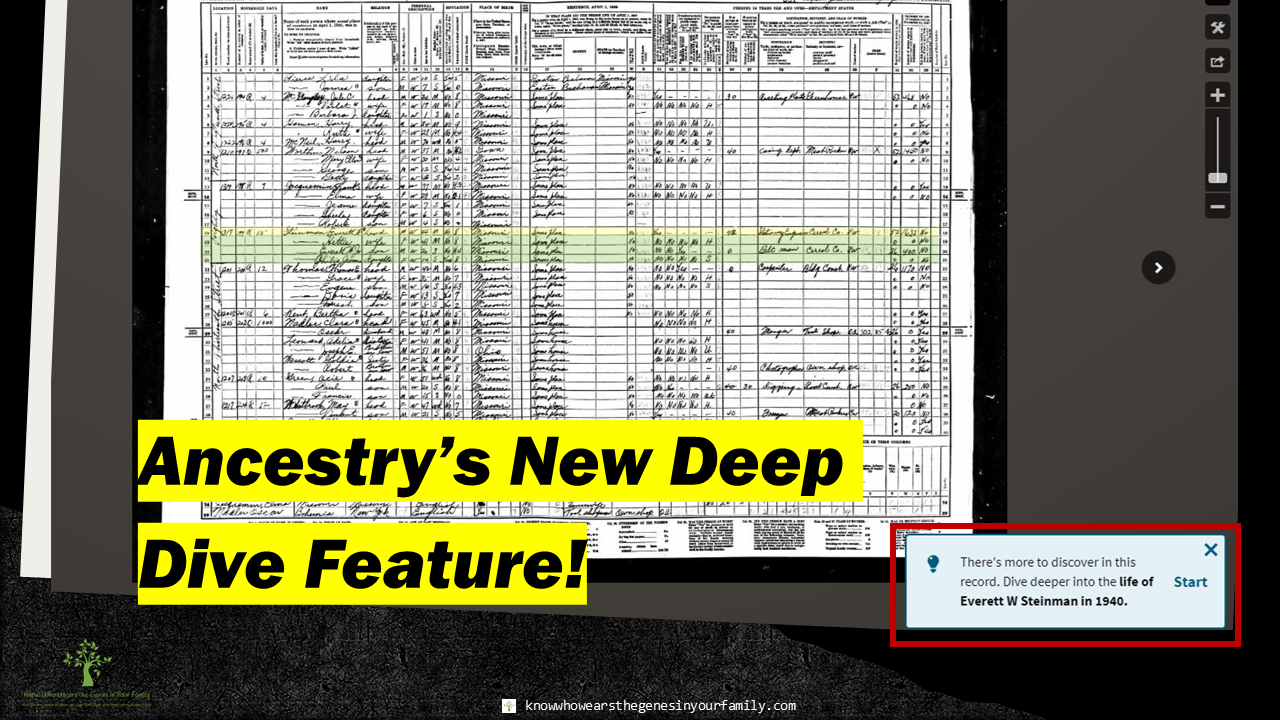
 Ancestry’s New AI Research Ideas Tool: A Genealogist’s First Look Artificial intelligence continues to make its way into everyday genealogy workflows, and Ancestry has quietly rolled out a new BETA feature for research called Ideas. Designed to surface “research opportunities” directly within an ancestor profile, this tool aims to help users identify next steps—and explain why those steps matter. I spent two days testing the Research Ideas feature using well-documented ancestors already in my tree. Below is a look at what the tool does well, where it still struggles (as expected in beta), and who will benefit most right now. What Is the Ancestry “Research Ideas” Tool? Essentially, Research Ideas is an AI-powered suggestion engine. For a selected ancestor, it generates a list of potential research tasks—called Ideas—each paired with:
Day 1 Test: How It Performed with a Well-Researched Ancestor Example 1: 2nd Great-Grandfather – Samuel “Sam” Steinman On the first day, the tool generated several Ideas focused on classic record types:
However, in this case:
Notable hiccup (Day 1): Every Action Plan—regardless of topic—began with the same introductory sentence referencing missing marriage records. This appears to be a simple beta-level glitch, not a conceptual flaw.  Ancestry AI Research Ideas- Example 1
Example 2: Great-Grandmother – Estefana Gutierres Testing the tool on a Mexican-American ancestor produced Ideas focused on:
In practice, however:
 Ancestry AI Research Ideas- Example 2
Day 2 Test: Different Results, New Layer of Context On Day 2, the Research Ideas for the same ancestor changed noticeably. This time, each Idea included a research level (Beginner or Intermediate), which is a promising addition. Examples included:
Still, the Action Plans remained strong, offering sensible, well-structured guidance that many users would find reassuring and easy to follow.  Ancestry AI Research Ideas- Example 3
Where This Tool Truly Shines Despite the limitations revealed by testing advanced cases, this feature definitely has some clear strengths:
Important Considerations Going Forward As with any AI-assisted genealogy feature, a few thoughtful questions naturally arise:
Final Thoughts The Ancestry Research Ideas tool is very promising. While it currently leans toward generalized guidance and beginner-level methodology, that is not a weakness; it simply defines its current audience. As a BETA feature, it shows clear potential:
Use it as a guide, not a replacement, for critical thinking, analysis, and sound methodology. I’ll be keeping an eye on how this feature evolves, because with continued development, it has the potential to become a really helpful starting point for many family history journeys. More AI Tips, Tools, and FeaturesLearn about more AI in Genealogy tips, tools, features, and resources under the AI in Genealogy category. More Ancestry and Genealogy ResourcesLearn about more Ancestry updates, tips, tools, and features and other family history and genealogy resources under the Ancestry.com and the Genealogy Resources categories of my blog and on my dedicated Genealogy Resources page.
 Testing AI Photo Animations: Which Style Brings Ancestors to Life Best? Over the last few years, short-form video has become one of the most effective ways to draw in family members who don’t normally engage with genealogy. Quick, visually interesting clips can spark curiosity in relatives who might scroll past a long family history write-up—but will happily stop for a short animation or video. With this in mind, I’ve been exploring how AI tools can help create brief, eye-catching “animated shorts” featuring ancestors from my own family tree. For this round of testing, I used an animated version of my 2nd great-grandfather, Samuel Steinman. About six months ago, I generated a stylized animated image of Samuel using ChatGPT, based on my original photograph of him. Because realistic animation of historical individuals can be easily misunderstood, I intentionally focused on tools that produce clearly stylized, cartoon-like results. The goal is to entertain, not to mislead. To see how different platforms handle animation and movement, I ran Samuel’s two different styles of animated portraits through three major AI tools: 1. MyHeritage MyHeritage continues to be one of the most accessible platforms for genealogy-friendly imagery and animations. Their tools for movement, facial expression, and video enhancement are extremely user-friendly and tend to produce smooth, subtle animations.
2. Meta AI Meta’s tools offer a modern, slightly more animated feel—sometimes more dynamic, sometimes a bit bolder. Their animations often introduce movement in the background or in facial expressions, which can add energy to a short clip.
3. Grok Grok’s animation style leans more heavily into artistic interpretation. Depending on the prompt and output, the results can feel more stylized, bold, or cartoon-inspired, making it an interesting contrast to the other two platforms, while also automatically adding sound.
Comparing the Styles: Subtle, Animated, and Full Cartoon To make this a meaningful test, I created three slightly different versions of Samuel’s animated portrait—each one with a distinct level of stylization:
Why These Experiments Matter for Family History Family history can be deeply meaningful, but not everyone feels naturally drawn to written research summaries or long narratives. Quick, animated shorts offer a different kind of entry point—something fun, visual, and accessible. When a relative recognizes a face, even a stylized one, it opens the door to conversations, stories, and deeper engagement. At the same time, it’s important to be clear that these animations are creative interpretations, not authentic representations. That’s why the cartoon-style versions are so valuable: they help ensure viewers understand that these clips are playful and imaginative, not historical reconstructions. Your Turn: Which One Should I Use? To make this experiment even more engaging, I shared these versions on social media, a few months ago, and asked viewers to vote on their favorite style. Seeing how others respond—especially relatives who aren’t typically invested in family history—helps me understand what resonates most. Each version offers something unique, and I’ll continue exploring how these tools can be used responsibly and creatively in family history storytelling. If you’ve tried any of these platforms, or if you’ve experimented with animated ancestor videos yourself, I’d love to hear what worked (and what didn’t!) for you. More tests coming soon—Samuel is becoming quite the animated star. More AI Tools, Features, and ResourcesLearn about more AI in Genealogy tools and features that can be used in your family history and genealogy under the AI in Genealogy category, and find more of my AI Genealogy Animation experiments on my YouTube Channel. More Genealogy ResourcesLearn about more family history and genealogy resources under the Genealogy Resources category and on my dedicated Genealogy Resources page.
|
Welcome to the BlogWelcome to Know Who Wears the Genes in Your Family! Here you'll find genealogy research tips, family history resources, DNA insights, technology and AI tools, genealogy news, and stories from my own research journey. Whether you're just starting your family tree, exploring your ancestry, or tackling a challenging brick wall, my goal is to help you discover, understand, and preserve your family's story. Categories
All
Top Posts
BlogrollEvalogue.Life, Heart of the Family, Molly's Canopy, Climbing My Family Tree, DNA Breakthroughs, Ancestral Findings, Genealogy Tip of the Day, Family History Daily, Heart of the Family Blog Party, Genea-Musings, Best of the Genea-Blogs, Genealogy à la carte, Empty Branches on the Family Tree, Our Growing Family Tree, AI Genealogy Insights, Family Locket, Beaumont Genealogy-AI
Archives
September 2026
|


 RSS Feed





Ready to Discover your family's Story? Start Your journey Today! |

|
📌 Quick Links💡 Tips & Resources⚖️ Legal |
🧬 ServicesGenealogy Research | DNA Research | Brick Wall Research | Heir & Living People Search | Unknown Parentage Research | Ancestor Biographies | DNA Match Grouping | Family Tree Building | Publishing | Coaching | Workshops | Speaking
📚 Products |
📬 Stay Connected🕒 HoursMon–Sun: 8am – 8pm
🗺️ Map
|

|
Member of the Association of Professional Genealogists |
✨ Commitment
Know Who Wears the Genes in Your Family is dedicated to promoting family history and genealogy, while maintaining commitment to client care and professional service, and adheres to the Code of Ethics and Professional Practices put forth by the Association of Professional Genealogists.
© 2016–2026 Diane Henriks | Know Who Wears the Genes in Your Family. All rights reserved.